
iPad Air vs iPad Pro | What's the Difference?
20th Mar 2025
Simon Cross
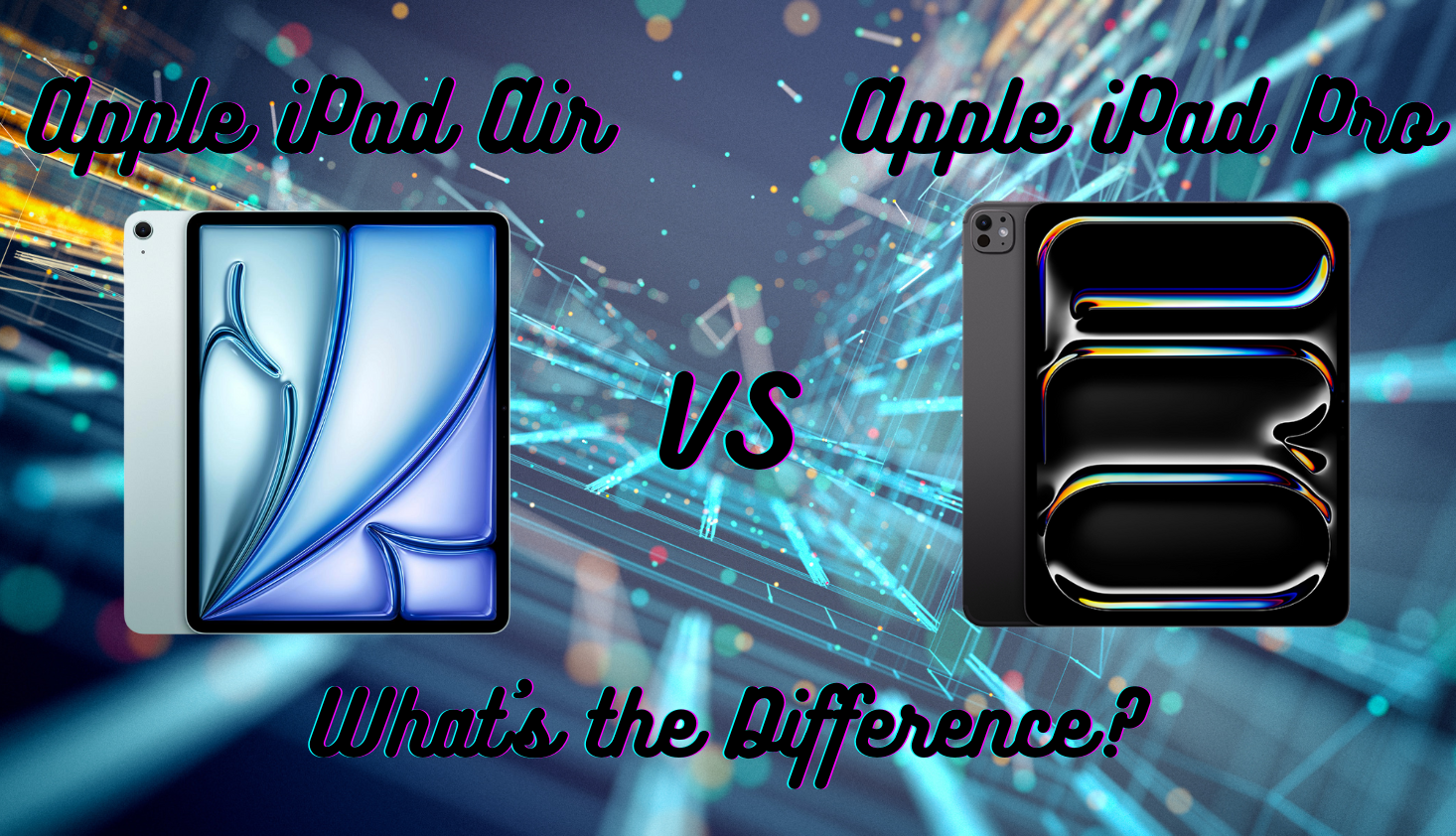
So, you're trying to decide between the iPad Air and iPad Pro? It's a tough choice, especially with the latest 2025 models bringing some serious upgrades. Apple has blurred the lines between these two iPads more than ever, but don't worry, I’ve got you covered!
Let’s break it all down so you can decide which one is right for you.
Performance: How Much Power Do You Actually Need?
If you care about speed, you're in luck - both iPads are incredibly fast. The iPad Air now packs Apple’s M3 chip, which is the same processor that powered the previous-gen iPad Pro.
That means it’s more than capable of handling demanding tasks like video editing, multitasking, and gaming.
What about the M4 chip?
If you want the fastest iPad out there, the iPad Pro takes it a step further with the brand-new M4 chip. This thing is an absolute beast. It’s got better graphics, improved AI processing with Apple Intelligence, and faster everything.
If you’re pushing your iPad to the limit with 4K video editing, 3D rendering, or high-end gaming, the M4 will handle it with ease.
But, in all honesty, the M3 in the Air is still more than powerful enough for everyday use. I’d say the M4 chip is only worth it for video, gaming or photo editing professionals.
Let’s talk RAM
One other thing to note is RAM. The iPad Air has 8GB of RAM, which is plenty for most people. But if you get a higher storage iPad Pro (1TB or 2TB), it jumps up to 16GB RAM, making it an absolute multitasking powerhouse.
If you're planning to use your iPad like a laptop replacement or for professional creative work, this extra RAM might be a big deal.
Decide on Your Screen
Display: OLED vs LCD
Here’s where things get really interesting. The iPad Pro now comes with a tandem OLED display, and trust me, it looks stunning. Colours jump out, blacks are deep and inky, and everything just feels more vibrant.
Plus, it has ProMotion, meaning the refresh rate jumps up to 120Hz when needed, making scrolling and animations really smooth.
The iPad Air, on the other hand, sticks with Liquid Retina LCD. Don’t get me wrong, it’s still an unbelievable screen considering it's still a tablet. It’s sharp, bright, and looks great. But once you’ve seen OLED, you’ll notice the difference, especially in HDR content or when working on creative projects.
Screen size
Good news! Both iPads now come in two sizes: 11-inch and 13-inch. I’m really glad Apple has made this decision because now you can have a smaller screen and not compromise on any of the power of the Pro.
I recommend a 13 inch screen for anyone that is using their iPad as a laptop replacement. But, if you plan to use your iPad alongside your laptop, an 11 inch is probably what you’re after because it’s a lot more portable.
There’s Not Much Difference in Battery Life
Surprisingly, battery life is pretty much the same on both models. Apple claims up to 10 hours of web browsing or video playback, and from my tests in real-world use, both iPads deliver similar endurance.
Of course, if you push them hard with gaming, video editing, or external accessories, you’ll drain the battery faster, but for general use, either one will last a full day.
The iPad Pro might have a slight edge in power efficiency thanks to the M4 chip and Tandem OLED display, but it's not a dramatic difference. If battery life is your biggest concern, you can choose either model without worrying too much and carry around a decent capacity power bank.
Price: How Much Are You Willing to Spend?
Cost is a huge consideration for a lot of customers, which makes a lot of sense. Who wants to overpay for features they don’t need?
It won’t surprise you that the iPad Air is much more wallet friendly compared to the Pro. The Air is priced from £549 (with education savings) for the base 11 inch model with 128GB storage, while the entry level iPad Pro is £999 with 256GB storage.
The price varies significantly depending on the storage, screen size and connectivity you choose. If you max out the Pro with 2TB storage, cellular connectivity, and accessories, you’re looking at over £2,500! Yeah, that’s more than a MacBook.
If you just need a great iPad for general use, the iPad Air is the value pick. But if you’re a professional who needs top-tier performance and display quality, the iPad Pro might be worth the investment.
What is Cellular Connectivity?
When we talk iPad models, cellular just means that you can use the embedded SIM card in the Air or the Pro to connect it to cellular data. This is ideal for anyone that needs to frequently work from their iPad without Wi-Fi.
But in my experience, if you are mainly using the iPad for home use then you won’t use the cellular function all that often, and it will be a waste.
Price comparison table for both models
Here’s a table with prices at Apple UK to give you an idea of all the options available for the latest Pro and Air models.
| Model (2025) | Storage | Wi-Fi Price (£) | Wi-Fi + Cellular Price (£) |
| iPad Air (11 inch) | 128GB | 549 | 749 |
| 256GB | 699 | 849 | |
| 512GB | 899 | 1,049 | |
| 1TB | 1,099 | 1,249 | |
| iPad Air (13 inch) | 128GB | 799 | 949 |
| 256GB | 899 | 1,049 | |
| 512GB | 1,099 | 1,249 | |
| 1TB | 1,299 | 1,449 | |
| iPad Pro (11 inch) | 256GB | 999 | 1,149 |
| 512GB | 1,199 | 1,349 | |
| 1TB | 1,599 | 1,749 | |
| 2TB | 1,999 | 2,149 | |
| iPad Pro (13 inch) | 256GB | 1,299 | 1,449 |
| 512GB | 1,499 | 1,649 | |
| 1TB | 1,899 | 2,049 | |
| 2TB | 2,299 | 2,449 |
Accessories: Do They Work With the Same Gear?
They both work with the Apple Pencil Pro
Both iPads support the latest Apple Pencil Pro, which comes with new features like a squeeze gesture and haptic feedback. In my experience, the Apple pencil is a fantastic accessory for sketching, note-taking, and even just navigating.
In my opinion, the iPad Pro’s 120Hz screen makes the Pencil feel slightly smoother, but most users won’t notice a massive difference.
They both work with the magic keyboard, but the Pro is better
They both also work with Apple’s Magic Keyboard, but here’s a small difference. The iPad Pro has an updated version with a larger trackpad and function keys.
If you plan to use your iPad as a laptop replacement, the Pro’s keyboard might be a bit nicer, but the one for the Air is still excellent.
The Pro Has a Better Camera
Both iPads now have a 12MP front camera, which Apple finally moved to the landscape edge. This makes video calls way more natural - no more awkward side-angle FaceTime calls.
On the back, the iPad Air has a single 12MP camera, while the iPad Pro used to have an extra ultra-wide camera but has now ditched it.
The Pro still has a LiDAR scanner, which is useful for AR applications and better depth-sensing in certain apps. But unless you do a lot of 3D scanning or augmented reality stuff, you probably won’t care too much about this.
One small bonus for the Pro is that it has a flash. The Air doesn’t. Not a big deal unless you take a lot of low-light photos with your tablet (which, let’s be honest, most people don’t).
Other Small Differences That Might Matter
Pro has FaceID
The iPad Pro unlocks with Face ID, while the iPad Air uses Touch ID in the power button. Face ID is faster and more seamless, but Touch ID is still quick and reliable.
Pro has an extra port
If you need extra-fast data transfer or want to connect professional accessories, the iPad Pro has a Thunderbolt port, while the iPad Air has a standard USB-C port.
The difference only really matters if you're working with high-speed external SSDs or fancy external monitors.
Pro has quad speakers
The iPad Pro also has quad speakers, giving you slightly better and louder audio than the iPad Air’s dual-speaker setup. If you watch a lot of movies or listen to music without headphones, you might appreciate the Pro’s better sound quality.
So, Which One Should You Buy?
If you just want an iPad for everyday use - browsing, streaming, note-taking, light creative work - I recommend choosing an iPad Air. It’s fast, powerful, and does almost everything the Pro does, but for hundreds of pounds less.
In my opinion, the iPad Pro is really only suitable if you’re a professional artist, video editor, or photographer who demands the best possible display, fastest performance, and highest-end features.
The Tandum OLED screen alone might be enough to sway creative professionals, and if you’re planning to use your iPad heavily for work, the extra RAM and storage will be worth it.
For most people, the iPad Air is the best bang for your buck. But if you want the best iPad experience available, and money isn’t an issue, go for the Pro. Either way, you’re getting one of the best tablets on the market that even rivals some laptops on the market.
If you’re still deciding between a tablet and laptop, so check out my blog on whether an Apple iPad is as good as a MacBook for students.
Blog Author: Simon Cross is the trusted expert behind the in-depth articles on all things computing at Morgan Computers. With years of experience in the tech industry, Simon is passionate about helping users find the best devices, whether refurbished or brand new. His expertise covers everything from performance optimisation to hardware comparisons, ensuring readers get the most out of their technology. View Simons author page to learn more about him.
Browse Our Top Tech Pages